Tony Kuyper Photography
Tony Kuyper Photography
TK Blend plugin for Photoshop
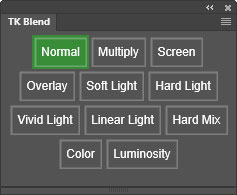 The TK Blend plugin for Photoshop sets layer blend mode, layer Opacity, and layer Fill in a single click. Certain blend modes—like Vivid Light, Linear Light, and Hard Mix—almost always look better when the layer Fill is decreased significantly. TK Blend allows both layer Opacity and Fill to be preset for all the blend modes. Clicking one of the plugin's buttons then sets the desired blend mode and also sets the predetermined layer Opacity and Fill. The end result is that the photographer can quickly make more meaningful comparisons of how different blend modes affect the image.
This plugin is FREE if you opt-in to receive update information from Tony Kuyper Photography. Jump to the download section.
Features include:
NOTE: This plugin and the installation document are English-only and have not been translated into other languages.
How to use it
First, click the menu icon in the upper right corner and choose Add/Remove/Edit blend modes.
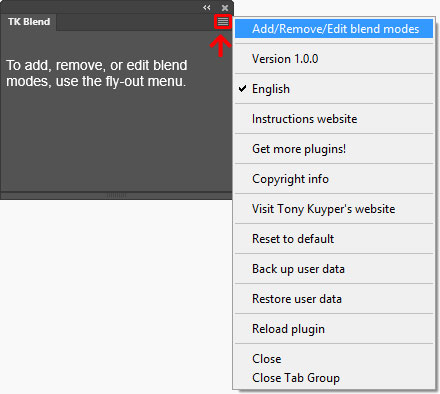
This opens a dialog window to choose which blends mode buttons appear on the main interface. This dialog also allows setting the layer Opacity and Fill that will be used for that blend mode when its button is clicked.
Click the checkbox for those blend modes you want to appear on the main interface and set the desired layer Opacity and Fill for each. NOTE: Blend modes that have an asterisk after their name are ones where the layer Fill can be used to modulate the blend mode's effect.
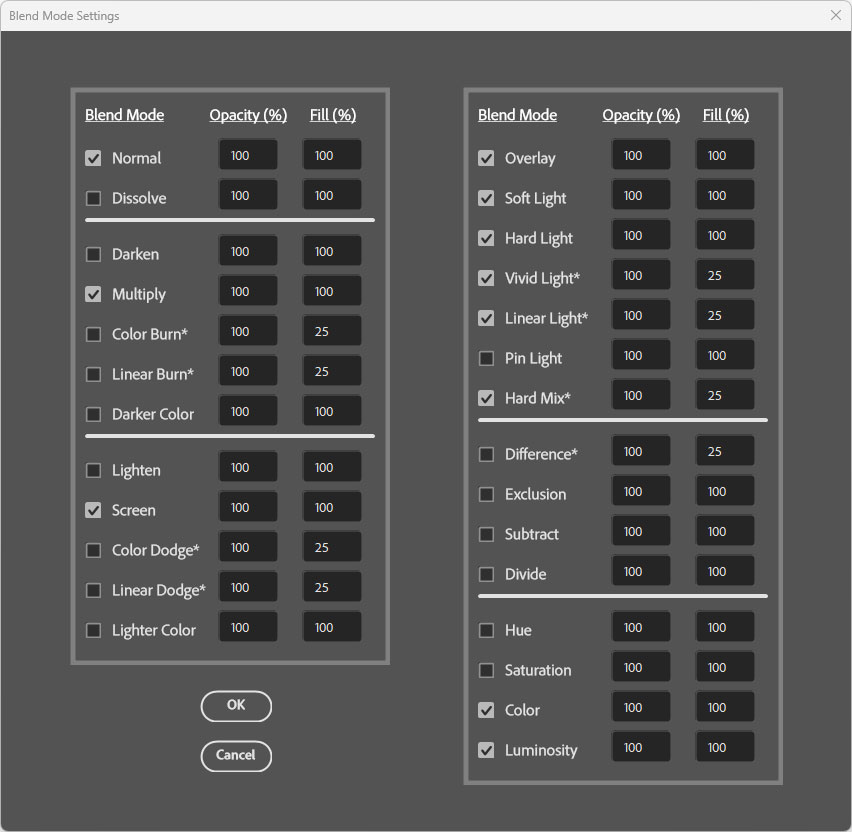
When finished, click the OK button to close the dialog window.
The main interface now displays the chosen blend modes as individual buttons and adds a green background to the button matching the blend mode of the active layer.
Clicking a button on the main interface sets the blend mode of the acitve layer to match the button and also sets the layer Opacity and Fill to match what was entered for that blend mode in the set-up dialog window.
Options in the fly-out menu
The fly-out menu in the upper right corner provides access to additional options and resources.
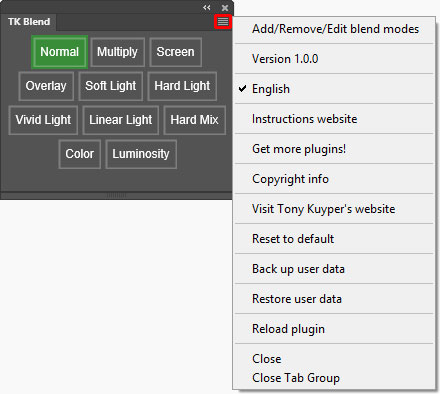
Instructions website—Opens a window using the computer's default browser to this webpage.
Get more plugins!—Opens a window using the computer's default browser to page on Tony Kuyper's website for getting additional free and paid plugins and videos.
Copyright info—Opens a Photoshop window with the plugin's copyright information.
Visit Tony Kuyper's website—Opens a window using the computer's default browser to the index page of Tony Kuyper's website.
Reset to default—Resets the plugin to its original settings — no buttons on the main interface and all Opacity and Fill percentages set to their default values.
Back up user data—Opens a dialog window to initiate saving the current plugin configuration — buttons plus Opacity and Fill values.
Restore user data—Opens a dialog window to initiate restoring a saved configuration — buttons plus Opacity and Fill values.
Reload plugin—Provides a method to manually reload the plugin in case it's not functioning properly.
How to download the plugin
The plugin is distributed in a download folder which includes installation directions (it's easy to install). Photoshop 2022 (version 23.3.0) or Photoshop Beta is required to install it, but testing was only done using the latest version of Photoshop. To get the free TK Blend plugin, follow the directions below.
