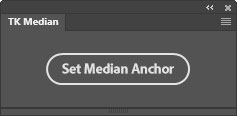
This plugin is FREE if you opt-in to receive update information from Tony Kuyper Photography. Jump to the download section.
TK Median is a Photoshop plugin that provides a one-click solution for setting an anchor on a Curves adjustment layer that matches the median value of the Photoshop histogram. Using this anchor as the pivot point for an S-curve to increase image contrast helps prevent exposure changes. Todd Dominey explains this concept in the video below.
Plugin features include:
NOTE: This plugin and the installation document are English-only and have not been translated into other languages.
The fly-out menu in the upper right corner provides access to additional options and resources.
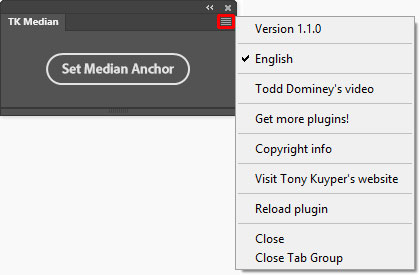
Todd Dominey's videos—Opens a window using the computer's default browser to watch Todd Dominey's video explaining the concept of using the histogram's median value for contrast adjustments.
Get more plugins!—Opens a window using the computer's default browser to page on Tony Kuyper's website for getting additional free and paid plugins and videos.
Copyright info—Opens a Photoshop window with the plugin's copyright information.
Visit Tony Kuyper's website—Opens a window using the computer's default browser to the index page of Tony Kuyper's website.
Reload plugin—Provides a method to manually reload the plugin in case it's not functioning properly.
The plugin is distributed in a download folder which includes installation directions (it's easy to install). Photoshop 2022 (version 23.3.0) or Photoshop Beta is required to install it, but testing was only done using the latest version of Photoshop. To get the free TK Median plugin, follow the directions below.
